|
|
| |
|
|
 |
| |
| |
|
Intermediate |
|
| |
|
|
Improving
Image Quality When Rendering Canvas™ Paint
Objects - Part Three |
 |
|
|
|
|
|
|
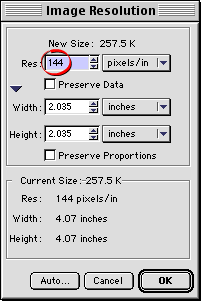
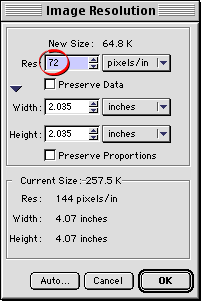
10. The dialog will display the paint object's resolution
(144 ppi - circled below left). Enter 72 for the resolution
(circled below right) and click "OK" to resample
the paint object.
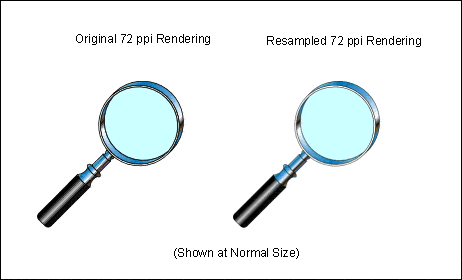
11. Now the paint object has a resolution of 72 ppi...the
same as the first.
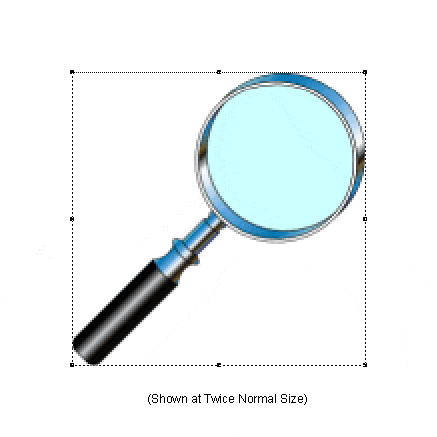
12. When you compare the original paint object with
the resampled one, you can see that there is a noticeable
improvement in quality. The outlines are not as heavy
and the overall appearance is smoother.
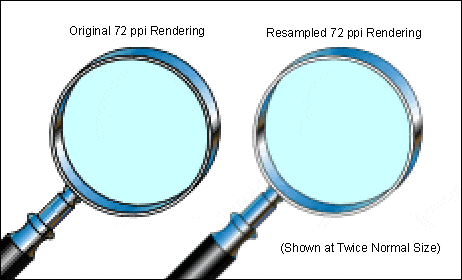
13. Zoom out to 100%. Notice the difference?
|
|
|
|
|
| |
Previous
Home
Contact Mike
Related Sites
Next
Copyright
© 1998-2016 Mike Doughty, All Rights Reserved Legal
Notices
Page Last Revised: October 26, 2016
Privacy Policy
|
|
|
|
|
|
|
|