Studio 1 Web Design
Visit our partner site where we offer logo
design, Los Angeles web design and
search engine optimization services.
  Web Design   Web Hosting   Photoshop Tutorials   Free Fonts   Featured Clients   Book Store  
 
Photoshop Tutorials - Free Fonts
[Home]
[Store]
[Search]
[Sitemap]
[Newest Pages]
[Read Me First!]
[Photoshop Tutorials]
[Canvas Tutorials]
[Corel Tutorials]
[Quark Tutorials]
[Illustrator Tutorials]
[FreeHand Tutorials]
[Drawing Basics]
[Porting Files]
[Free Fonts]
[Font Tutorials]
[Misc Tutorials]
[Animation]
[About Mike]
[Guestbook]
[Gallery]
[Related Sites]
[Resource Directory]
[Add Your URL]
[Downloads]

 
California Home Loans
Hard Money Lenders
Laser Hair Removal
Mailing Lists
Mesotherapy
Private Money Loan
 
    Intermediate  
 
  Porting Fonts Across Platforms:
Number 10C
  Buy Graphics & DTP Software!
Books on Graphics & DTP
Graphics & DTP Training CDs

Porting Mac® TrueType® Fonts To The PC With Mac TransType
Click here for more on working with TransType
Click here for legal note on fictitious font name used in this tutorial

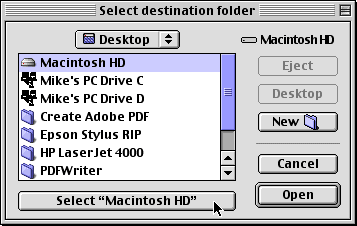
7. TransType will ask you to select a destination folder for the converted font. Navigate to the desired folder then press the "Select" button.
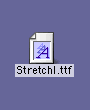
8. The converted font will appear on your drive.
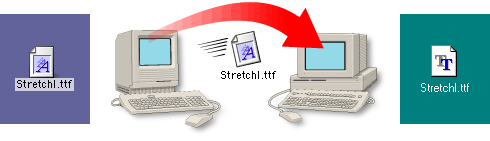
9. Copy this file to the PC either by using a PC-formatted disk or by sending it over a network (more here on copying files between Mac and PC).
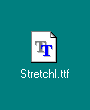
10. The converted font will appear on your drive. You can install it by copying it to the Windows\Fonts folder.

Click Here To Continue...

 
  Previous   Home    Contact Mike   Related Sites    Next Copyright © 1998 - 2007 Mike Doughty, All Rights Reserved Legal Notices
Page Last Revised: October 14, 2007
Privacy Policy


Hard money lenders can arrange a private money loan or hard money loans with fast approval!

