Porting
Files Across Platforms Using FTP:
Part Two
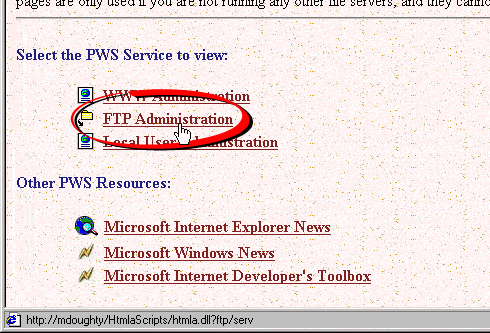
6. This will open the Internet Services
Administrator in a browser window. Click the "FTP
Administration" link.
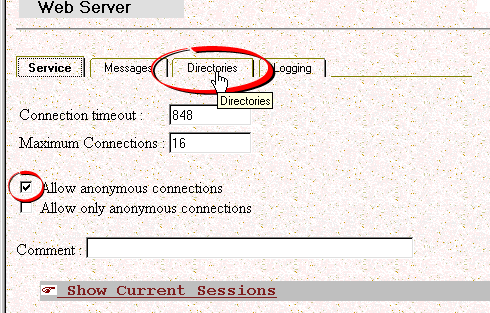
7. In the FTP Administration page, you
can avoid logging in by allowing anonymous connections.
Put a check mark in the "Allow anonymous connections"
check box. To change the root folder and setup read
and write privileges, click the "Directories"
tab.
Warning!
If your network is connected to the Internet make
sure that you only do this on a computer that is
protected behind a correctly configured firewall.
Permitting anonymous connections will allow anyone
with access to your network to make an FTP connection
and gain access to your hard drive.