Selecting
Anchor Points and Modifying Paths In Photoshop®
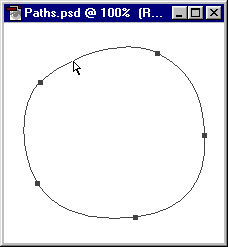
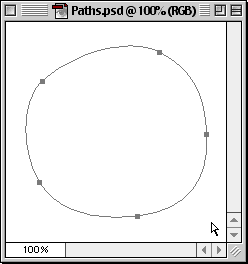
Selecting All Points In A Path 1. Press and hold the Option/Alt key. With the Direct
Selection Tool
click anywhere on the path. All the anchor points are
selected. Selected anchor points become solid.
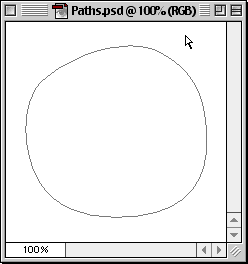
Deselecting All Points In A Path
2.Using the direct selection tool, click away from
the path. All points are deselected.
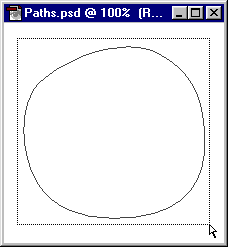
Marquee Select Method
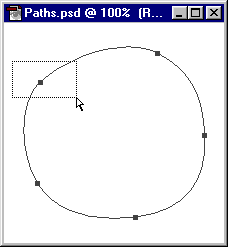
3. Using the direct selection tool drag a marquee around
the path.
4. Release the mouse button. All the anchor points are
selected. Selected anchor points become solid.
Selecting Individual Points
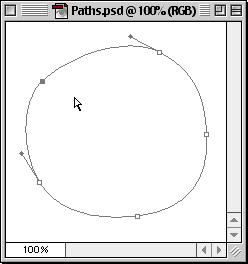
5. With all the anchor points now visible, use the direct
selection tool to drag a marquee around the anchor points
you want to select.
6. Release the mouse button. Now only the points enclosed
within the marquee are selected (and solid) and all
other points become deselected (and hollow).
Adjusting Path Segments
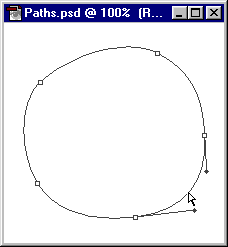
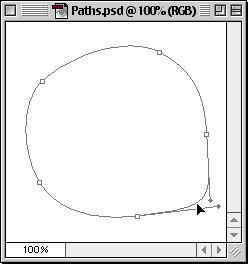
7. Use the direct selection tool and click and hold
the mouse button on a line segment you wish to adjust
8. Drag the line segment to the desired shape. Release
the mouse button when finished.



 click anywhere on the path. All the anchor points are
selected. Selected anchor points become solid.
click anywhere on the path. All the anchor points are
selected. Selected anchor points become solid.