|
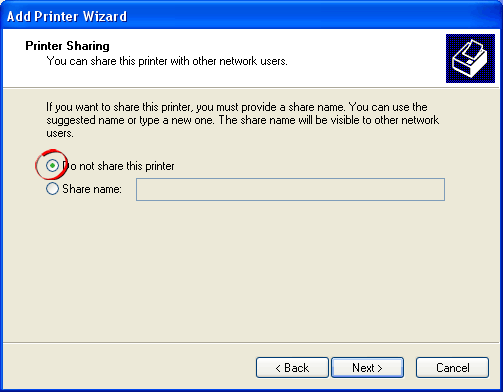
7. If you are setup on a network, the next screen asks
you if you want to share the printer with other users
on the network.
 |
|
You can choose to share this printer if you want,
but in this case we will choose "Do not share
this printer" then click the "Next"
button. |
| Click
thumbnail image for larger view |
|
|
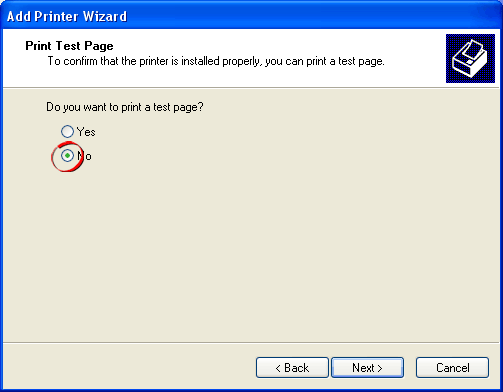
8. The next screen asks if you want to print a test
page.
 |
|
Choose "No" then click the "Next"
button. |
| Click
thumbnail image for larger view |
|
|
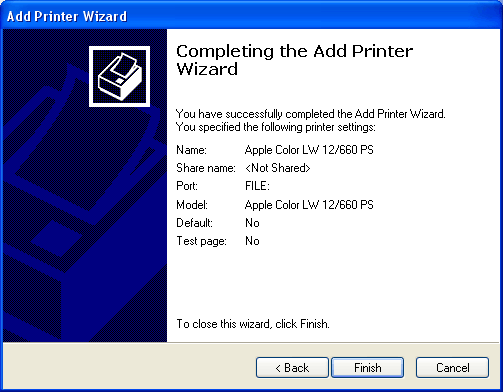
9. That's it! You're done.
 |
|
Click the "Finish" button to exit the
wizard. |
| Click
thumbnail image for larger view |
|
|
Click
Here To Continue...
|