|
|
Porting
Fonts Across Platforms:
Number 20A |
 |
|
|
|
|
|
|
Porting Mac® Type 1 Fonts To
The PC With Mac FontLab®
To find out more about FontLab and where to get
it, click
here
Click here
for legal note on fictitious font name used in this
tutorial
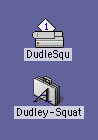
1. In this case we will convert the Type
1 font, Dudley Squat.
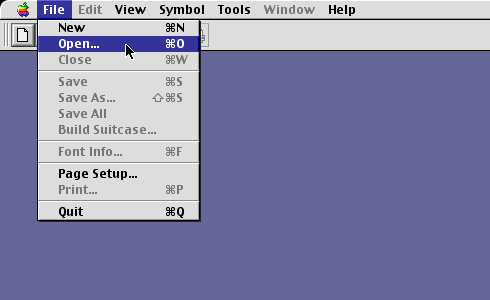
2. Press the  button on the Standard Toolbar or click File >
Open... to open the font.
button on the Standard Toolbar or click File >
Open... to open the font.
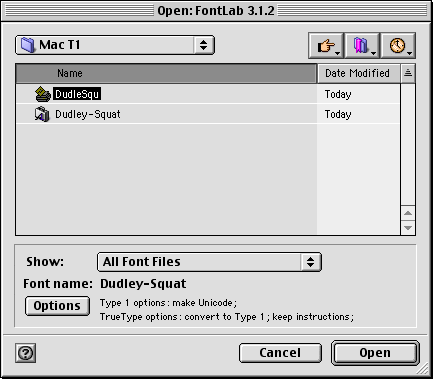
3. Navigate to the folder containing the
font files. FontLab lets you open either the printer
font (containing the outlines) or the suitcase (containing
the screen fonts). We want to import the font metrics
(kerning, and other metrics data) when we import the
font (more
here on why this is important and why you have to take
the necessary steps to include the metrics in the conversion).
In Mac Type 1 fonts, the kerning and other metrics is
in the suitcase with the screen fonts. In FontLab, if
you open the Mac printer font you will have to manually
import the metrics. (click
here on how to manually import metrics using FontLab).
But you can import the font outlines and the metrics
in one step if you open the suitcase. Just to make a
point, select the printer font and click "Open".
The printer font is the icon that looks like a printer
(more here
on how to recognize Mac Type 1 fonts).
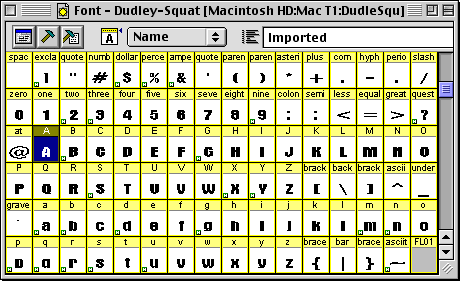
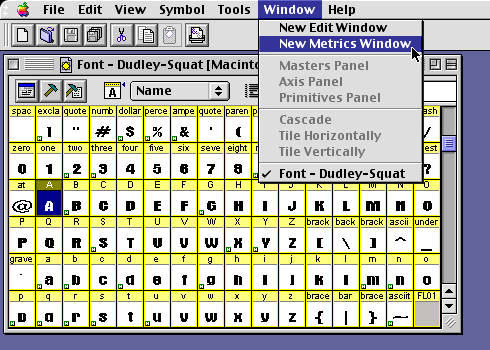
4. You will see a view of the individual
characters in the font window. Ignore the encoding for
now.
5. Click Window > New Metrics Window.
Click Here To Continue...
|

