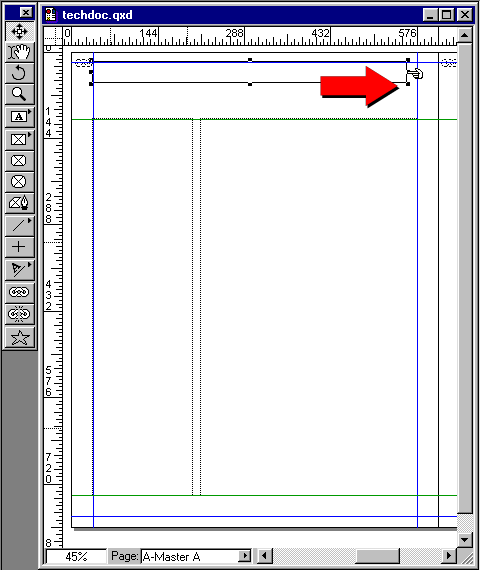
21. Now, in case you are wondering why I went from
the lower right to the upper left, it's because old
habits die hard. The reason is that I steer clear of
page guides when first placing the mouse. All too often,
I would click on one of the page guides and instead
of drawing a new box, I would accidentally move the
guide setting me back about 3 days. Okay, now continue
with the motion in step 1 above. If you released the
mouse button select either the Item tool or the Content
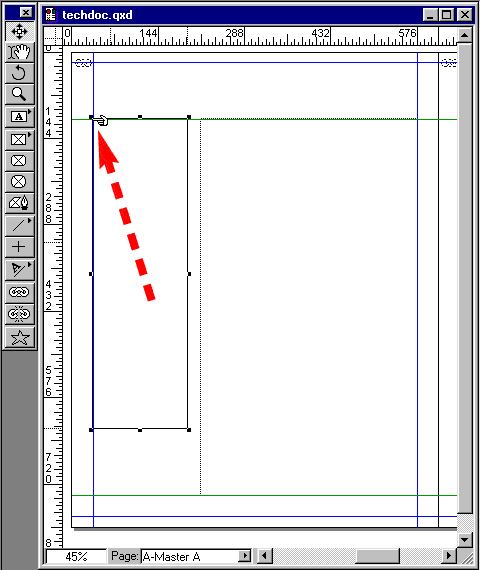
tool and grab the upper left handle of the new text
box and drag to the upper left corner until it snaps
to the guides.
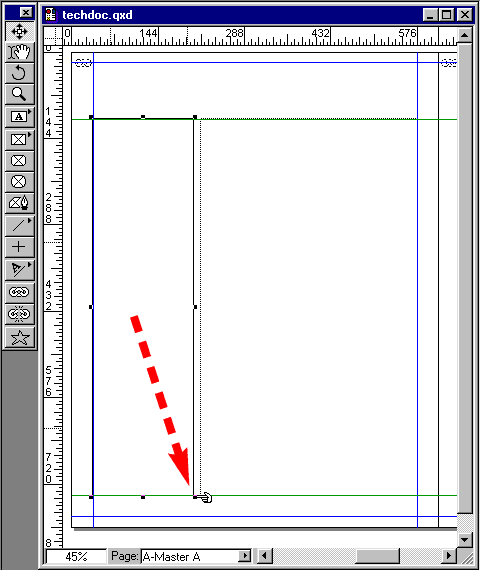
22. Now grab the lower right handle and drag it to the
lower horizontal page guide until it snaps. Don't worry
about the box width. You will set it using the Measurements
palette.
23. While the new text box is still selected, enter
165 points in the width field of the measurements Palette.
Now is a good time to save your work.
24. Select the Rectangle Text Box tool
and drag a new text box upwards toward the top margin
until it snaps in the upper left-hand corner.
25. Using the Item tool
, drag the left-center handle to the right margin until
it snaps.




 and drag a new text box upwards toward the top margin
until it snaps in the upper left-hand corner.
and drag a new text box upwards toward the top margin
until it snaps in the upper left-hand corner.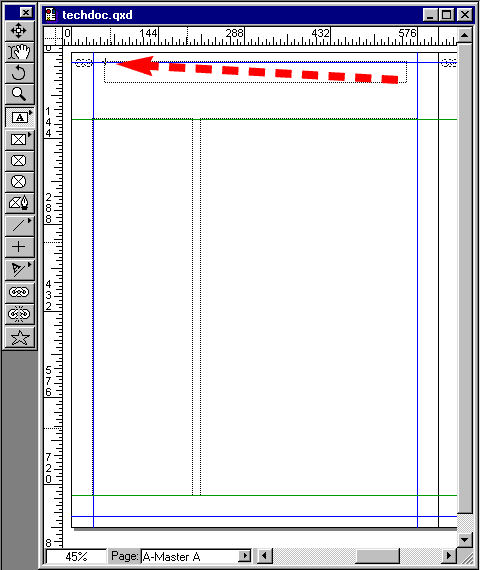
 , drag the left-center handle to the right margin until
it snaps.
, drag the left-center handle to the right margin until
it snaps.