Web Design   Web Hosting   Photoshop Tutorials   Free Fonts   Drawing Basics   Book Store  
 
Photoshop Tutorials - Free Fonts
[Home]
[Store]
[Search]
[Sitemap]
[Blog]
[Newest Pages]
[Read Me First!]
[Photoshop Tutorials]
[Canvas Tutorials]
[Corel Tutorials]
[Quark Tutorials]
[Illustrator Tutorials]
[FreeHand Tutorials]
[Drawing Basics]
[Porting Files]
[Free Fonts]
[Font Tutorials]
[Misc Tutorials]
[Animation]
[About Mike]
[Guestbook]
[Gallery]
[Related Sites]
[Add Your URL]
[Downloads]

 
    Intermediate  
 
  QuarkXPress™ Technical Manual Project
Part 3E - Master Page Setup - Continued
  Buy QuarkXPress Software!
Books on QuarkXPress
QuarkXPress Training CDs

Return To Technical Manual Project Index

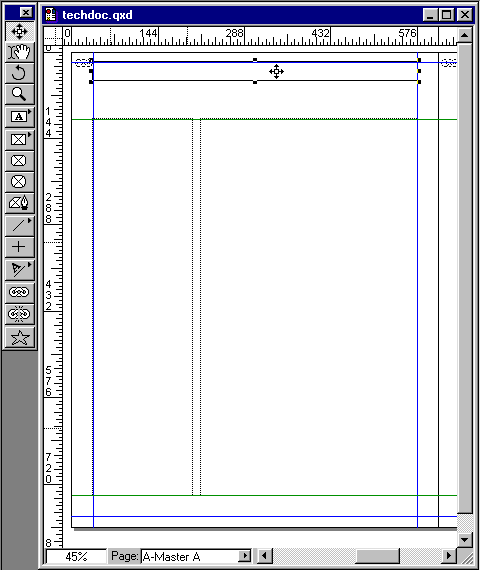
26. With the text box still selected press Ctrl-C (Windows®) or Cmd-C (Mac®) to copy the text box.

techdoc026a.gif

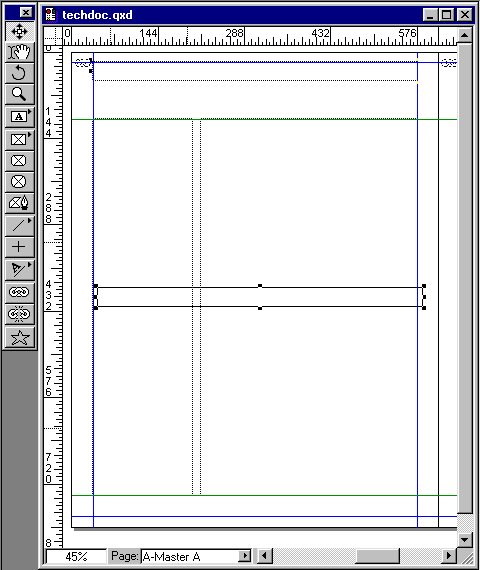
27. Next press Ctrl-V (Windows) or Cmd-V (Mac) to paste a copy of the text box onto the page.

techdoc027a.gif

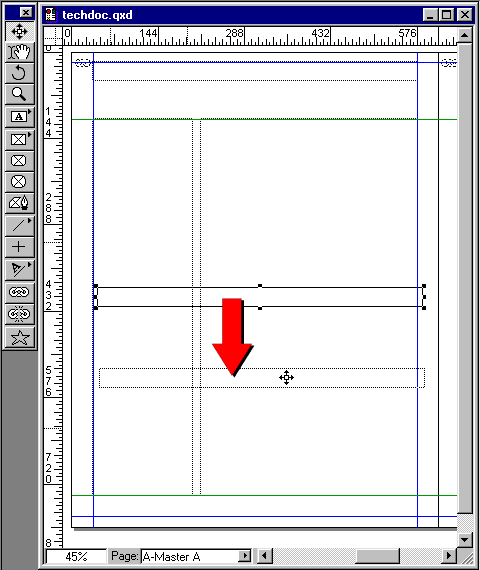
28. Using the Item tool, drag the new text box towards the bottom margin until it snaps.

techdoc027b.gif

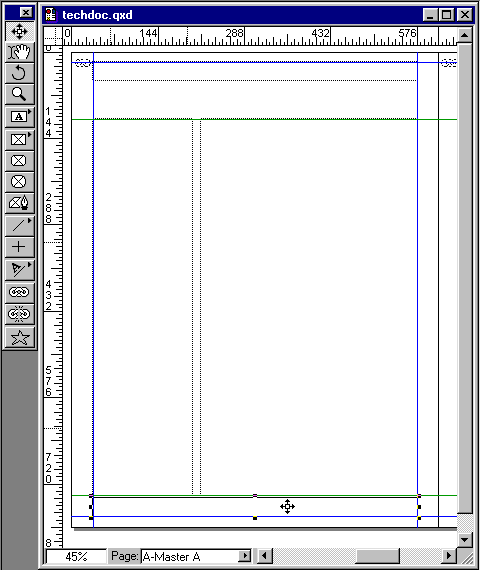
29. This is not its final resting place, but it's in the vicinity.

techdoc027c.gif


Click Here To Continue...


Previous   Home    Contact Mike   Related Sites    Next

Copyright © 1998-2012 Mike Doughty, All Rights Reserved Legal Notices
Page Last Revised: June 11, 2012
Privacy Policy